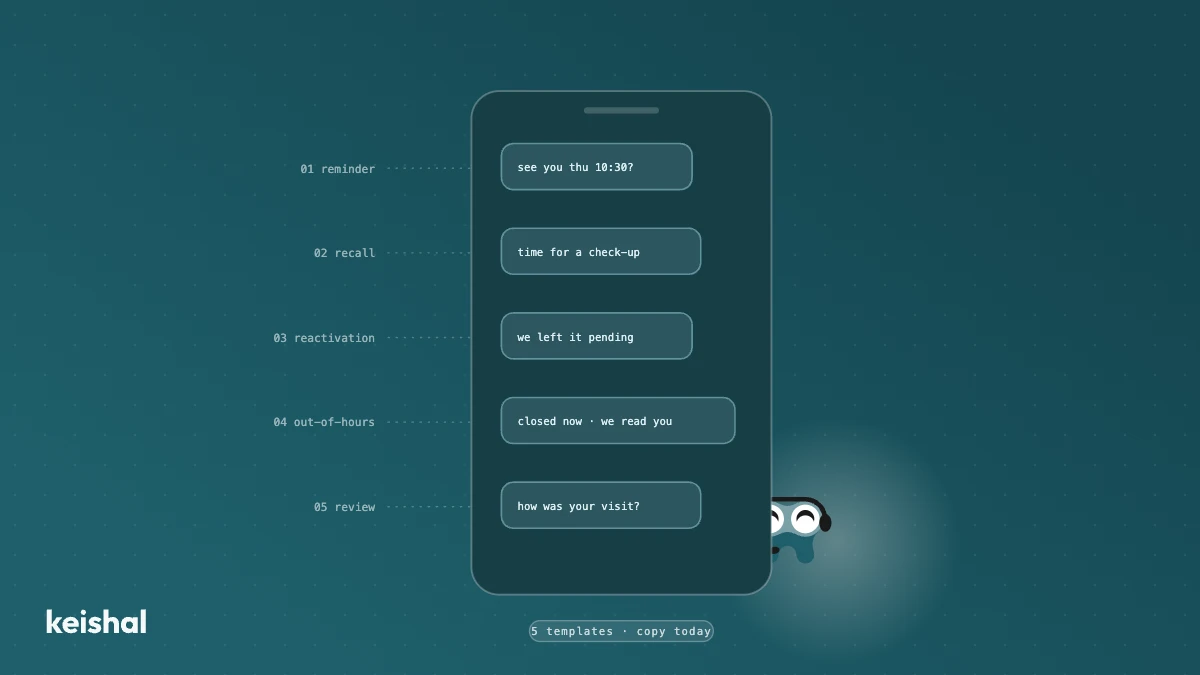
Five WhatsApp templates for your clinic: a reminder with confirmation, a recall message, a reactivation message for dormant patients, an out-of-hours reply and a review request. The text is the easy part: a schedule with 15 appointments a day generates 330 reminders a month, and if 1 in 10 patients replies, that is 33 conversations someone has to handle. Each template comes with the checklist of what that message must be able to handle: confirm, reschedule, escalate and record it in the schedule. Before copying anything, decide who replies.
If you are looking for WhatsApp message templates for your dental clinic, here are five: an appointment reminder with confirmation, a recall message, a reactivation message for dormant patients, an out-of-hours reply and a review request. You can copy and adapt them today. First, run one quick calculation: a schedule with 15 appointments a day, over a 22-working-day month, generates 15 × 22 = 330 reminders. If just 1 in 10 patients replies with anything more than "ok", that is 33 conversations a month someone on your team has to handle.
The text is the easy part. What decides the outcome is what happens when the patient replies.
For the patient, each of these messages is also a moment when they judge how you look after them. The full framework is in our guide to dental clinic patient care.
Why the template is the easy part
Almost every list of templates you will find ends where the real work begins. A good message generates replies: that is its job. A reminder nobody can answer is a poster, not a conversation.
That is why every template in this guide comes with a checklist of what that message has to be able to handle. If you send the text without that part solved, the message will still work: it will provoke replies. They will just land in an inbox nobody is watching, and that is worse than not sending anything.
One clear opinion before we start: if you only set up one of the five, make it the reminder with confirmation. It generates the most useful replies per message sent, and it depends least on the quality of your patient database.
Template 1: appointment reminder with confirmation
Hi [name] 👋 A reminder of your appointment at [clinic] on [day] at [time]. Can you confirm you'll make it? If the time doesn't work, just tell us here and we'll find you another slot.
Why it works: it asks for one concrete action (confirm) and makes cancelling friction-free. That last part is deliberate. You want cancelling to be easy: a cancellation with notice is a recoverable slot; a silent no-show is not. We cover this in how to reduce no-shows at your dental clinic.
What this message has to be able to handle:
- One-tap confirmation. If the patient has to compose a sentence, fewer will confirm.
- Rescheduling on the spot. If they reply "can't make it", the useful answer is another slot, not "call us tomorrow".
- Moving the cancellation to the waiting list. Knowing a slot has opened up is only worth something if you refill it before it goes cold.
- Recording the outcome in the schedule. A confirmation nobody writes down doesn't exist.
Template 2: recall message
The industry standard is at least one recall contact per year; clinics that optimise go to two. If you don't know how many of your patients are due this month, start with what dental recall is and how to automate it.
Hi [name] 👋 This is [name] from [clinic]. It's been [X months] since your last check-up and we like to do at least one a year. Shall I suggest a couple of times this week or next?
Why it works: it gives a concrete reason (time since the last visit) and closes with a question that takes five seconds to answer. No urgency theatre: a yearly check-up is reason enough.
What this message has to be able to handle:
- Knowing who to send itself to. Recall starts by reading the schedule and the patient history: who is due this month. Done by hand, exporting and filtering that list is half the job already.
- Offering real times and booking them. "Call us to book" loses half of them on the way.
- Following up. Most people don't answer the first message. Without a gentle second touch a few days later, recall stays half-done.
- Writing the appointment into the schedule when the patient says yes.
Template 3: reactivating a dormant patient
This is not the same as recall. Recall contacts active patients who are due a check-up; reactivation goes after the ones who haven't set foot in the clinic for 12 months or more. The message has to acknowledge that time, not pretend it didn't pass.
Hi [name], this is [name] from [clinic]. Looking at your file, I see we left [treatment / your check-up] pending in [month, year]. You may have sorted it elsewhere; if not, I'd be glad to pick it up with you. Would you rather I call you, or shall we sort it here?
Why it works: the concrete reference to their file shows this is not a mass send, and admitting they may have solved it elsewhere is honest and disarming. Avoid discounting by default: most dormant patients didn't leave over price. The full step-by-step method is in how to reactivate inactive patients at your dental clinic.
What this message has to be able to handle:
- Real personalisation from the patient record. The pending treatment and the date come from your practice software, not from a template filled in by guesswork.
- The volume. With 1,000 dormant patients, at roughly 5 minutes each to find the file, write and log the reply, that is 5,000 minutes: about 83 hours. That doesn't fit in anyone's front-desk day.
- Sensitive replies. "I moved to another clinic" or "it was the price" are conversations for a person on your team, with the context in front of them.
- The limit, admitted. Not everyone will come back however well you reach out: some have moved away, others no longer need it.
Template 4: out-of-hours reply
A clinic open 50 hours a week leaves 118 of the week's 168 hours with nobody at the other end: 70%. Some of your messages arrive at 9.30pm.
Hi 👋 Thanks for messaging [clinic]. We're closed right now, but we do read you. Tell us what you need and we'll reply first thing. If you'd like an appointment, let us know and we'll send you our calendar link so you can pick the slot that suits you best.
Why it works: it sets an honest expectation (we'll reply first thing) instead of silence. And if the patient wants an appointment, it doesn't make them wait: the conversation continues on WhatsApp and the booking closes with a calendar link where they pick the slot themselves.
What this message has to be able to handle:
- Actually answering the frequent questions. Opening hours, insurance, first visits: from information the clinic has approved, not improvised. Acknowledging receipt is not answering.
- Closing the booking. Chat to resolve doubts, a calendar link to pick the time, and the appointment written into the schedule.
- Knowing when to stop. A clinical question or a complaint gets escalated to your team with the whole conversation as context. Where that line sits is the subject of chatbots for dental clinics: what they solve and where they fall short.
Template 5: review request
The best moment to ask for a review is right after the visit, when satisfaction is highest. If sending depends on someone at the front desk remembering, it will be sent "sometimes".
Hi [name], thanks for coming in today to [clinic] 😊 If you were happy with your visit, would you leave us a Google review? It takes a minute from this link: [link]. It helps us more than you'd think.
Why it works: it's short, it arrives at the right moment and it asks for one thing. Ask every patient, don't filter before asking; pre-filtering is questionable and it also deprives you of the signals you need. The full system is in how to get Google reviews for your dental clinic.
What this message has to be able to handle:
- Sending itself after the visit. Consistency is what moves your review average, not the wording.
- Catching the complaint when it comes. If someone replies with a problem instead of a review, that is an urgent conversation for your team, and a negative review avoided.
Consent and data: the part that builds trust
Messaging a patient means handling sensitive data, whatever the channel: WhatsApp, SMS, email or phone. It is not a WhatsApp-specific problem, and it is not an annoying formality either: it is an opportunity.
A patient who sees that their clinic asks for permission clearly, writes from an identified business number and makes it easy to say "no more messages, please" trusts it more. Data protection, done well, is a signal of seriousness that strengthens the relationship.
The specific framework (which consents, which legal texts, which official channel) is best defined with specialised data protection advice. The channel itself and how to use it are covered in WhatsApp for dental clinics: uses and data protection.
The question that decides everything: who replies?
Back to the arithmetic from the top: 330 reminders a month means around 33 conversations. Add the recall replies, the reactivation replies and the messages from the 118 hours the clinic is closed. Your front desk already has the phone, the counter and the schedule; asking the same people to also carry all those conversations is not realistic, and it is not their fault.
"I'd rather call patient by patient myself than have to learn to use yet another new thing," the owner of a clinic told us on a sales call in 2026 (translated from Spanish). It is a reasonable reaction: the barrier is not the money, it is having to operate one more tool.
There are three ways to sustain these templates:
- By hand. Viable at low volume: few appointments, few replies. It is where almost everyone starts.
- Software your team operates. The templates go out on their own, but the replies still land at the front desk, and the tool has to be learned and attended. In 2026 even dental software vendors are presenting patient-communication modules (they were on show at Expodental 2026); the question none of them solves is who operates them.
- An autonomous system that operates the conversations for you. It sends each message at the right moment, replies, reschedules, escalates to your team with context when needed, and writes every outcome into your practice software (Gesden, Nubimed, Dentalink, Clinic Cloud and others). Your team sees results in the schedule, not an inbox.
The templates on this page work in all three modes. The difference is how many you can sustain at once, and what happens to each reply. If you want to see what this sounds like with the numbers of a clinic like yours, book a demo.
Ready to try Keishal in your dental clinic?
Book a demo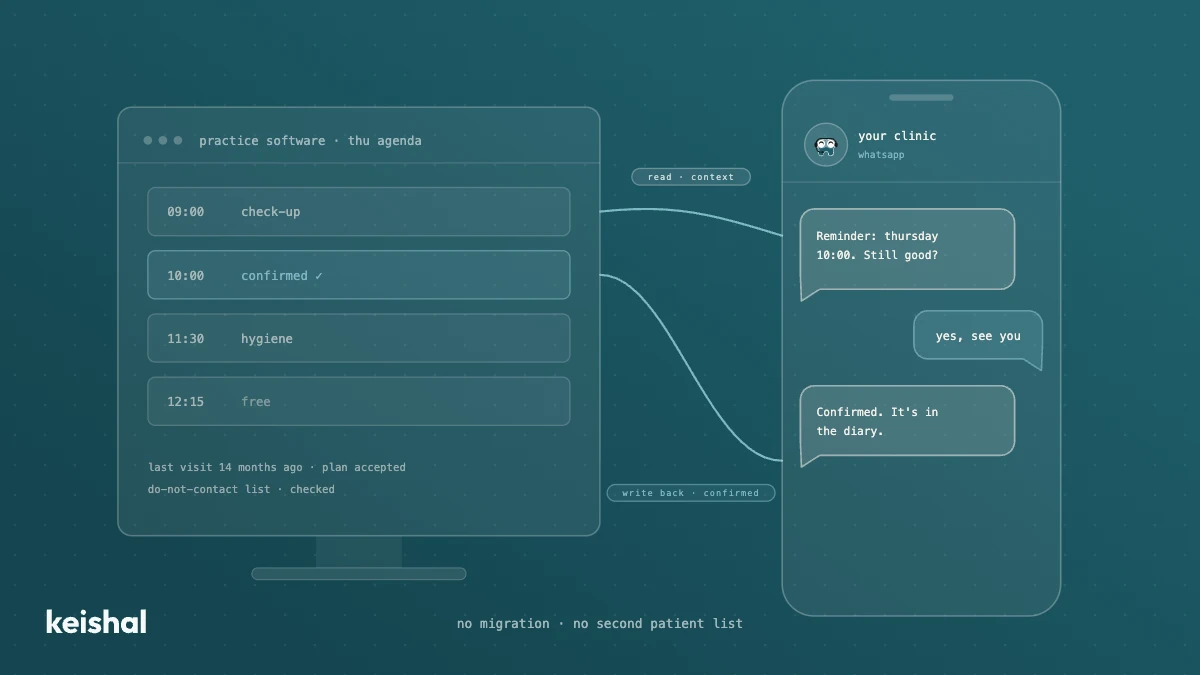
Integrating AI with your dental practice software: what a real connection means
A real integration with your dental clinic's software does two jobs: it reads your patients' data for context and writes appointments, confirmations and status changes back into your program. A monthly CSV, a calendar connector or a read-only tool leaves the rest to your team: with 330 reminders a month, marking each confirmation at 30 seconds adds up to almost 3 hours. Ask for the list of supported programs and versions in writing, and check that there's no migration and no duplicate patient base.
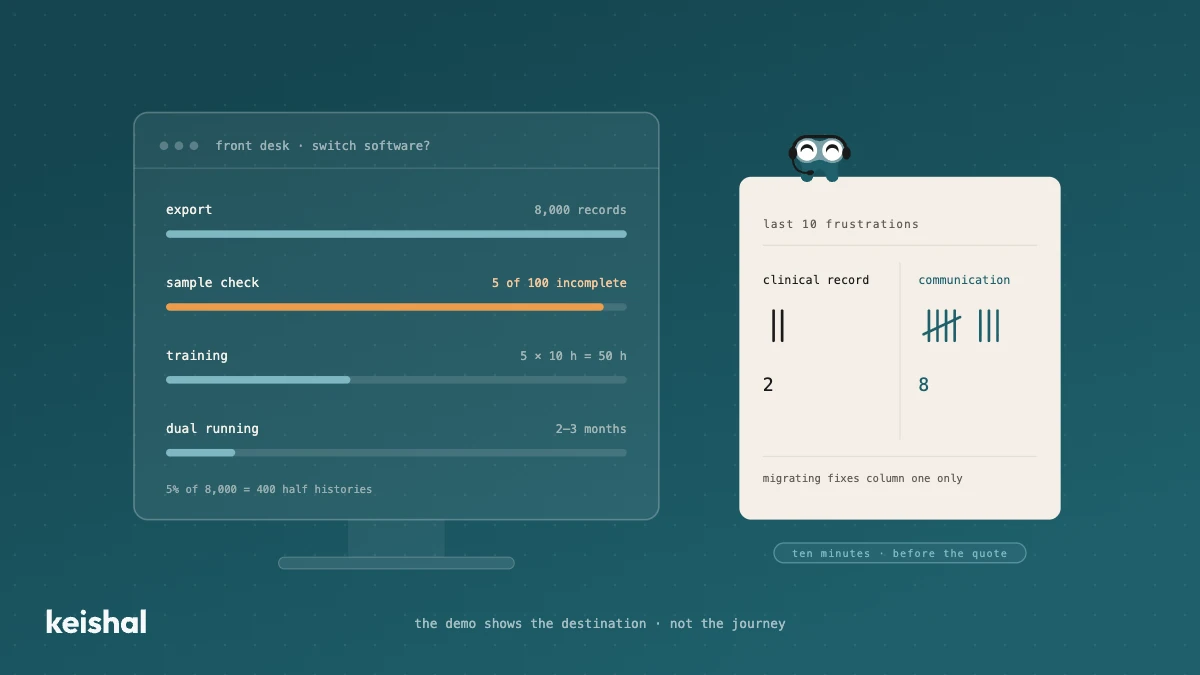
Switching dental software: what migrating really involves and when you don't need to
Switching dental software isn't installing a program: it's exporting and verifying thousands of records, training the team (5 people × 10 hours = 50 hours) and running two systems side by side for two or three months. It's worth it when the software has no support, holds your data hostage or the clinic has outgrown it. But if what's pushing you is unmanaged reminders, recall that never happens and out-of-hours messages, that communication layer can be added on top of your current PMS, without migrating anything.