Reactivating inactive patients isn't sending a mass "we miss you" message. It's a seven-step process: segment the list (a 12-month patient isn't the same as a 36-month one), filter out who you shouldn't contact, write a message that recognises the person, pick the right channel and moment, make booking immediate, follow up without nagging, and measure what happens. Done by hand for a database of a thousand dormant patients, that's around a hundred hours of work. Which is why most clinics try it once, it goes badly, and they never try again.
If you've already counted how many dormant patients you have, the next question is obvious: how do I get them back?
And the answer usually given is a bad one. "Run a campaign", "do a promotion", "have reception start calling". That's what most clinics do, once a year, and it's why most clinics conclude that reactivation doesn't work.
It does work. But it's a process, not a campaign. Here's how it's done.
Step 1: Segment the list
The starting error is treating all inactive patients the same. They aren't.
Someone who hasn't been in for 13 months probably just lost track of their check-up. Someone at 36 months made a decision, even if unconsciously. The first comes back with a friendly reminder; the second needs a different conversation.
Segment by at least three criteria:
Time since the last visit. Split into bands: 12-18 months, 18-24, over 24. The probability of recovery falls with time, and the tone of the message should fall with it.
What treatment they had. An orthodontic case that finished and never came back for review is a different case from a hygiene appointment that drifted. The first may need retention; the second simply needs reminding that it's due.
Whether anything is outstanding. Cross against open quotes. A patient with an accepted treatment that was never started is the most recoverable case of all: they already said yes once.
That third segment tends to be the smallest and the most profitable. Start there.
Step 2: Clean the list before contacting anyone
Before writing to anyone, remove those who shouldn't receive the message:
- Patients who asked not to receive communications
- Deceased patients (your software flags this, if the team has been recording it)
- Those who moved away and told you
- Duplicates: the same person with two records would get two messages, and that's what makes you look like a robot
This step isn't bureaucracy. A message to the family of a deceased patient is reputational damage you can't undo, and contacting someone who expressly asked you not to is a data problem you can spare yourself.
It's also the moment to check contact quality. If 20% of your numbers are wrong, that 20% of your effort is lost before you start.
Step 3: Write a message that recognises the person
This is where the result is decided.
A generic message ("Hi! It's been a while since we've seen you, come and visit us") reads like advertising and gets ignored like advertising. The patient knows you sent it to a thousand other people.
A message that shows you know who they are reads like a clinic that remembers them. The difference isn't tone, it's information: their dentist's name, the treatment they had, how long it's been, what's due now.
Compare:
"Hi! It's been a long time since you visited. We're waiting for you with a special offer on dental cleaning."
"Hi Marta, I'm from Dr Puig's team. I saw your last check-up was in March last year and that we mentioned your wisdom tooth back then. Would you like me to find you a slot to take a look?"
The second works because it isn't a campaign. It's a conversation the clinic itself could have started.
Three rules for the message:
- No false urgency. None of "this week only". The patient isn't stupid and you aren't a shop.
- No discounts by default. Cutting the price to bring back someone who left out of inertia is giving away margin. Save the incentive for the segment that genuinely needs it, if any does.
- One question only. The message must be answerable with a yes. If it forces three decisions, it doesn't get answered.
If you want to understand better what went through these patients' minds, we cover it in why patients don't return to the dentist.
Step 4: Pick the right channel and moment
The channel. Calls have the lowest response rate and the highest cost: they require the patient to answer at that exact moment, during working hours. Email barely gets opened. WhatsApp is where the patient already is, gets opened nearly always, and lets them reply whenever they want — which is exactly what someone who's spent a year putting this off needs. We cover it in WhatsApp for dental clinics.
The moment. Weekdays, mid-morning or mid-afternoon. Not eight in the morning, not ten at night. And never all at once: send a thousand messages on Monday and by Tuesday you have a thousand replies and nobody to handle them.
That last point matters more than it seems, and we explain it in step 6.
Step 5: Make booking immediate
You've got a patient who hadn't thought about you in a year to reply "yes, I'm interested". That's the moment of peak intent, and it doesn't last.
If your answer is "great, call us on 93 XXX XX XX during morning hours", you've just handed the ball back to someone who already showed you they don't call. Part of those yeses fall away right there.
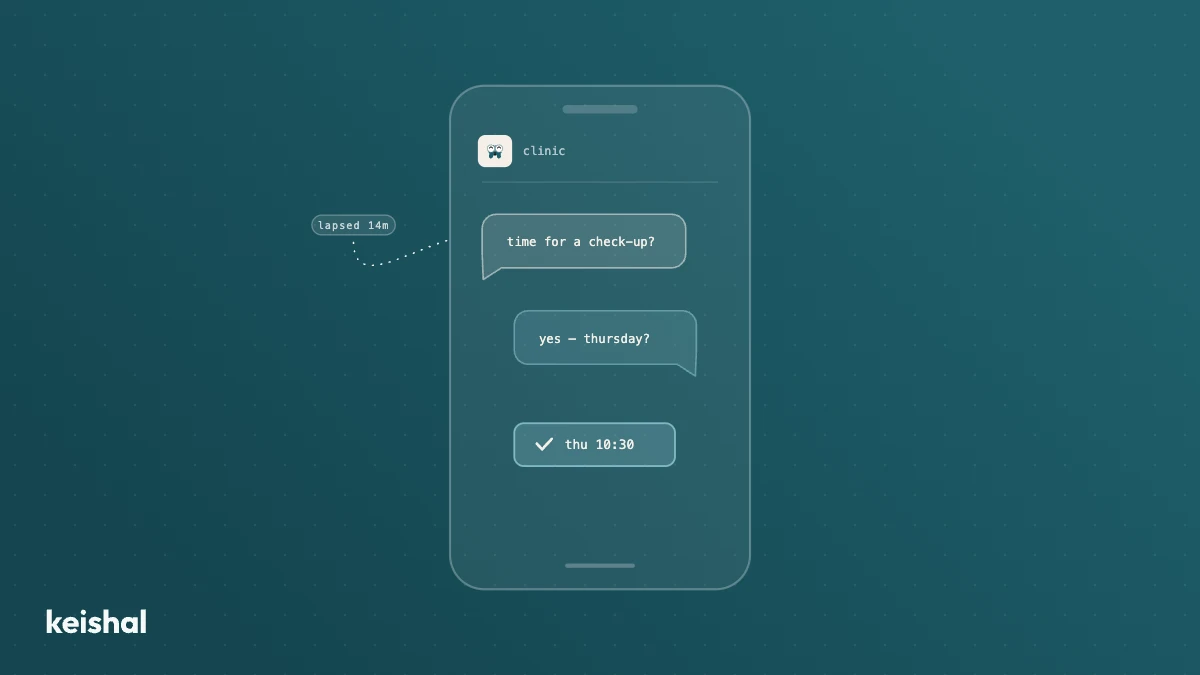
What works is closing in the same conversation: propose two specific slots, let them pick one, confirm it. No channel switching, no forms, no waiting. From "I'm interested" to "appointment confirmed" in three messages.
Step 6: Follow up — and know when to stop
Most patients don't reply to the first message. That doesn't mean they aren't interested: it means they read it on the tube and forgot.
A second message three or four days later recovers a meaningful share of the non-responders. A third, considerably fewer. A fourth adds nothing and starts to annoy.
The practical rule: two messages, three at most. If there's no reply, archive that patient and try again in six months or a year. Pushing beyond that doesn't win appointments — it wins opt-outs.
And here's where most reactivation campaigns die: not in the sending, but in handling the replies. Sending a thousand messages is easy; any tool does it. Handling the replies that arrive over the following ten days —answering questions, finding slots, rescheduling, chasing the non-responders— no tool does that. A person does, and that person already has a job.
Step 7: Measure what matters
By the end you should be able to answer these questions:
- How many patients you contacted
- How many replied
- How many booked
- How many actually showed up
- How much they billed
The last one is the only one that truly counts, and it's the one almost nobody measures, because knowing it means following the patient from the message all the way to the invoice.
With those five numbers you know whether to repeat the process and what to change. Without them, reactivation is a feeling.
What it costs to do this by hand
Here's the part nobody tells you when they say "run a reactivation campaign".
Do the maths with your own data. Per patient: looking up their history and personalising the message is around two minutes; handling the conversation back, three or four more; booking and logging, a couple. Counting the ones who never reply, that's roughly five minutes per patient.
If you have a thousand dormant patients, that's about a hundred hours. Two and a half weeks of full-time work. And you don't get them in one block: they're spread in drips across the two weeks after the send, while replies arrive at the same time as reception is handling the desk, answering the phone, and taking payments.
That's why reactivation campaigns get done once a year, in a rush, with a generic message and no follow-up. And that's why they go badly. It isn't that the team doesn't know how. It's that doing it properly is a part-time job nobody has.
The conclusion most clinics draw is "reactivation doesn't work". The correct conclusion is "reactivation doesn't fit".
The alternative: have a system operate it
The seven steps above are exactly what Keishal does, with one difference: a system does them, not your team.
We integrate with your practice management software, segment the database, filter out who shouldn't be contacted, write to each patient over WhatsApp with their context, handle the replies, close appointments into your calendar, and follow up. Your team doesn't learn any tool or change how they work: they watch appointments appear.
And unlike a campaign, it doesn't happen once a year. It runs continuously, across the whole list, while the clinic gets on with its own work.
If you want to see the size of your dormant list before deciding anything, work it out here. And if you'd rather we showed you with your real database, book a call.
Reactivating patients isn't conceptually hard. It's operationally hard. The difference between a clinic that recovers patients and one that doesn't is rarely knowledge — it's who has the hundred hours.
Ready to try Keishal in your dental clinic?
Book a demo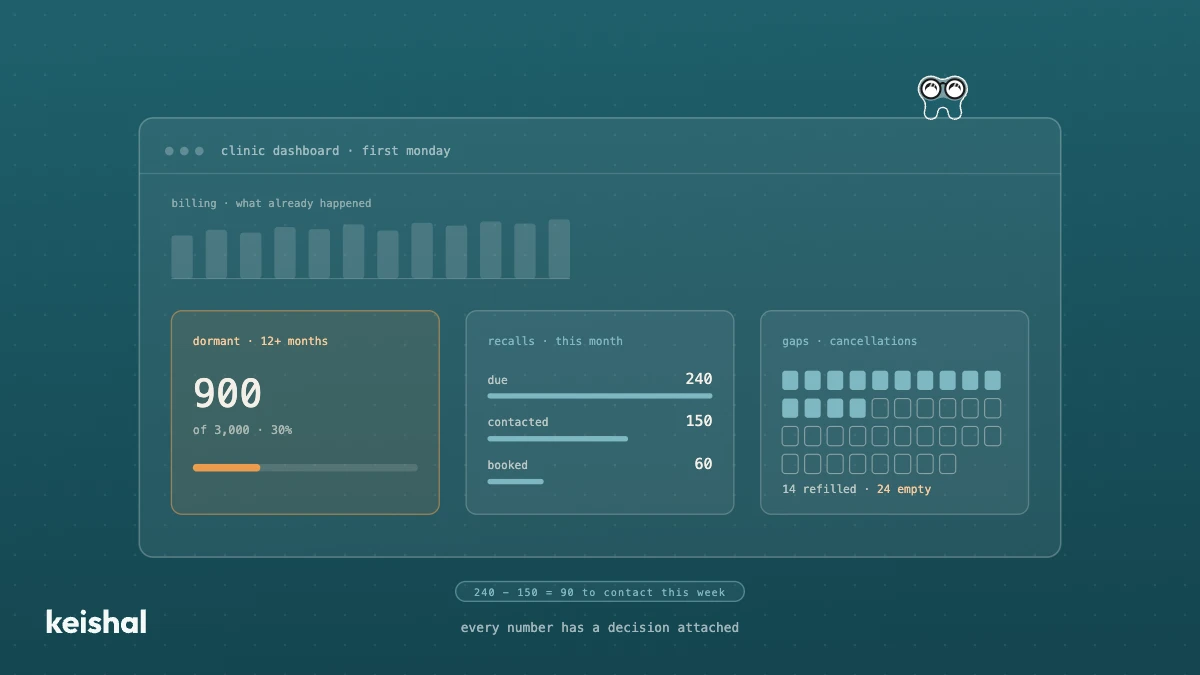
Dental clinic dashboard: what it should actually show you
A dental clinic dashboard is useful if it helps you decide something. The one in your practice management software usually shows billing and the schedule, which is the past. What it usually lacks is the patient base: how many haven't been in for over a year (900 of 3,000 = 30%), which recalls fall due this month, which gaps stayed empty and how much of your base you can actually reach. Six questions, each with its number and its decision.
What is superintelligence and what AI actually does in a dental clinic today
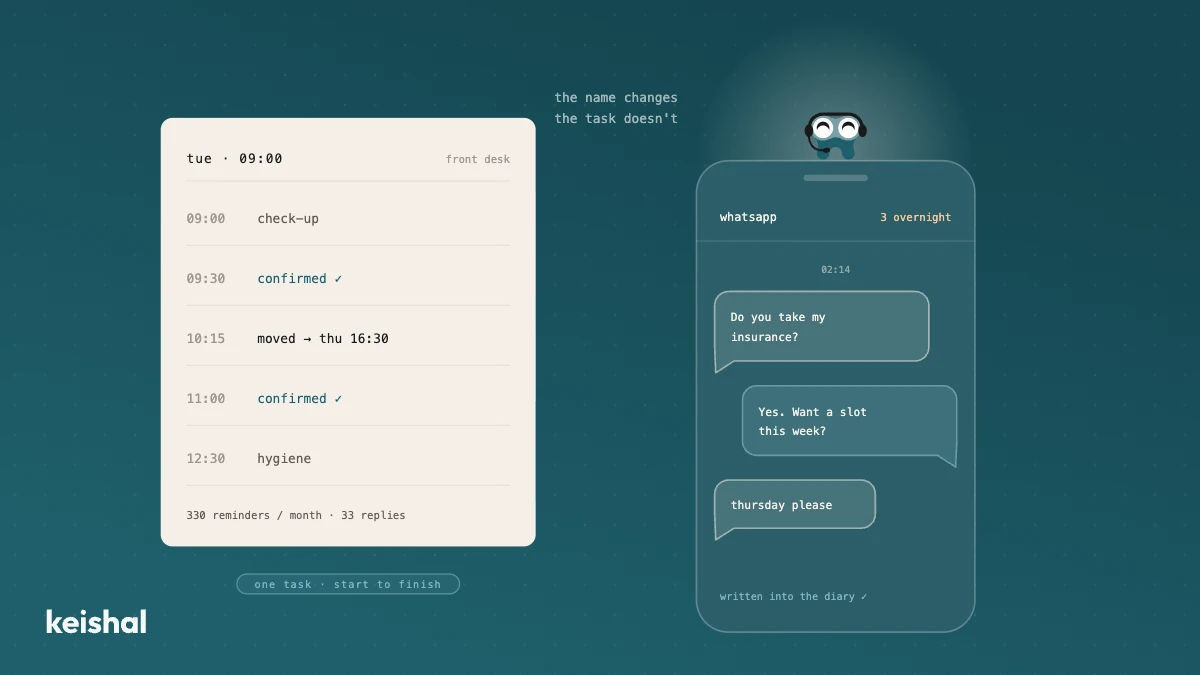
Superintelligence is a hypothetical AI that would outperform people at almost every intellectual task, and it doesn't exist today. The AI dental clinics use is narrow AI: it confirms appointments (15 × 22 = 330 reminders a month), reactivates dormant patients, answers during the 118 hours a week the clinic is closed and flags incomplete records. For a clinic, the name matters less than the specific task the tool gets done in your schedule.