
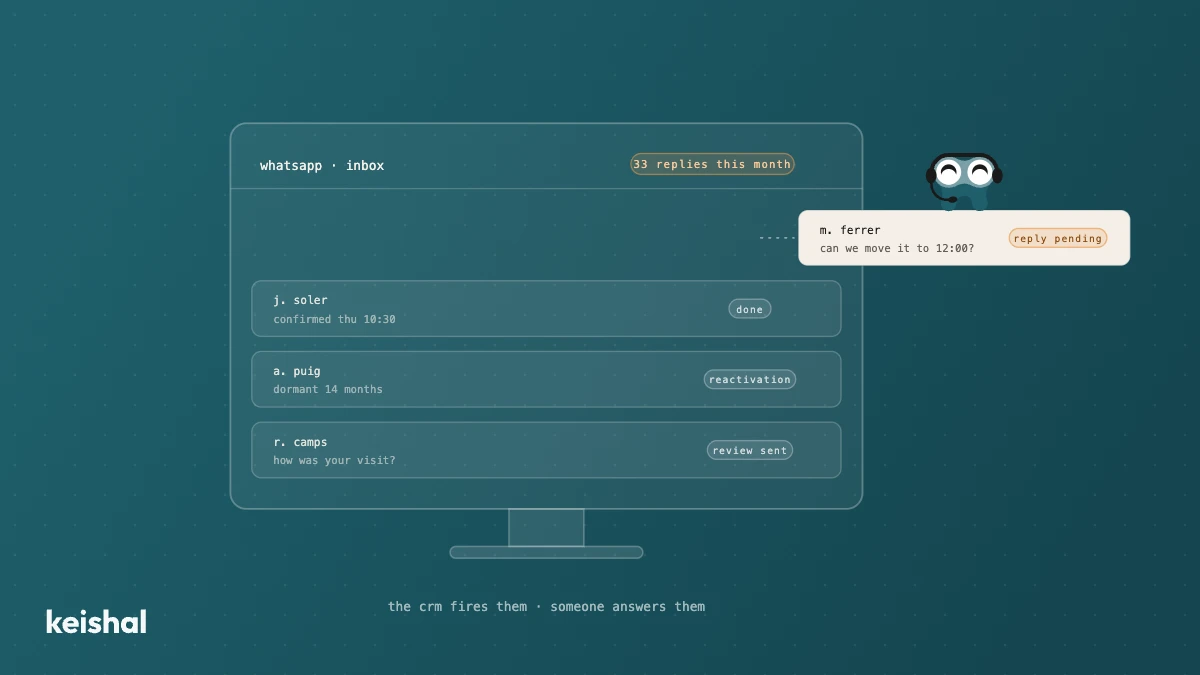
A "dental CRM" is the patient-relationship layer — reminders, recall, reactivation, reviews — on top of the PMS, which is your system of record. It makes sense if that work is slipping and you have someone to operate it daily: the tool organises the work, it doesn't do it. Run the numbers: 1,000 dormant patients × 5 minutes is about 83 hours. If nobody can put those hours in, the alternative isn't another CRM: it's an autonomous system that operates for you.
If you've searched for "dental CRM", you most likely already have a practice management system (PMS) and still feel things slipping through: reminders that go out late, patients who haven't visited in over a year and whom nobody has written to, reviews that never get asked for. The useful question isn't "which CRM should I buy?" but "which layer am I missing, and who is going to operate it?"
Before going on, run one number of your own. Open your PMS and count the patients who haven't had an appointment in 12+ months. In a database of 3,000 patients, finding 1,000 is common. Multiply them by your average treatment value: 1,000 × €110 is €110,000 of stalled treatment. That's the size of the follow-up work a CRM promises to organise. Not all of them would come back even if you reached out — some have moved, some no longer need it — but the figure explains why this search exists.
What a dental CRM is and how it differs from your PMS
CRM stands for customer relationship management. Translated to a clinic, it's the layer that decides and executes the next contact with each patient: tomorrow's reminder, the six-month recall, the message to the patient who hasn't visited in a year, the review request after the appointment.
Your PMS does a different job: it's the system of record. It stores clinical histories, the schedule, treatment plans and billing — what has already happened. A PMS tells you a patient hasn't visited in 14 months; it doesn't write to her. The relationship layer is what acts on that data.
The distinction matters because, in the market, "dental CRM" is almost never a product built for clinics. What you'll find are generic CRMs — sales and marketing tools — with templates adapted to the sector. That's not a scam or a flaw: they were born for sales teams managing a pipeline, and that origin shows both in what they do well and in what you'll have to build yourself.
If what you're actually comparing is the PMS itself, that's a different decision, covered in our dental software comparison for Spain. This article assumes you already have a PMS that works.
What a generic CRM does well and when it makes sense
A well-chosen generic CRM does valuable things. It centralises contacts that today live in notebooks and spreadsheets. It segments your base by treatment, last visit or source. It automates message and email sequences, and tells you which campaign generated what.
When does it make sense? When the clinic has the muscle to operate it. The profile is recognisable: a small group or a large clinic with someone dedicated — a commercial coordinator, a marketing manager — who lives inside the tool every day, with stable protocols and real time to configure, test and maintain. If you have that person on staff, a CRM can bring order and traceability to a lot of scattered work. The market itself confirms the direction: at Expodental 2026, dental software vendors presented patient-communication modules — the relationship layer is where everyone knows the game is decided.
The other half has to be said just as plainly: a CRM organises the work, it doesn't do it. Every segmentation has to be designed. Every template written and reviewed. Every automation maintained when the schedule or the team changes. And every patient reply — which is where the appointment is won or lost — is handled by a person. The tool multiplies an operator who already exists; it doesn't create one.
When your PMS is already enough
Not every clinic needs another layer. If your base is small and the schedule stable, the arithmetic changes: 300 dormant patients × 5 minutes is 1,500 minutes, about 25 hours — that fits into a quiet month at the front desk, with no new tools. And your PMS's own reminder modules, properly configured, cover the basic appointment notice.
The signs that you're missing the layer are just as concrete:
- Reminders depend on someone remembering, and on full-schedule days they don't go out.
- Recall happens "when there's a gap", and there hasn't been a gap in months.
- Nobody has contacted your dormant patients this quarter.
- Reviews arrive on their own or not at all; nobody asks for them systematically.
If you recognise yourself in two or more, the follow-up work is slipping away from you. The question stops being which tool to buy and becomes who is going to do that work — and that's where it pays to look closely at the numbers, because the numbers are less forgiving than the feature list.
The work that appears when the CRM works
The blind spot in almost every CRM comparison is that the relationship layer, once switched on, generates new work.
A clinic with 15 appointments a day sends, over 22 working days, 330 reminders a month. If 1 in 10 gets a reply — a time change, a question, a cancellation — that's 33 conversations a month someone has to handle well and fast. The CRM fires them; it doesn't answer them. And they don't arrive only from 9 to 7: patients write when they can, not when you're open.
Reactivation is the extreme case. Contacting a dormant patient properly — reviewing their history, writing a message that doesn't read like a circular, logging the reply — takes about 5 minutes. With 1,000 dormant patients that's 5,000 minutes: about 83 hours. That's why so many reactivation campaigns die in week three. The right conclusion isn't "reactivation doesn't work" but "reactivation doesn't fit" into anyone's working day. The full step-by-step method is in how to reactivate inactive patients at your dental clinic.
"We bought a CRM, an agency set it up, and it spent half a year sending the same thing to everyone. We ended up dropping it." That's a composite example from 2026 sales conversations, not a verbatim quote, and it sums up the pattern we hear most: the tool without an operator ends in a generic circular, or in silence.
A tool you operate or a system that operates for you
The underlying decision isn't which CRM has more features. It's structural: do you want a tool your team operates, or a system that operates for you? We develop that choice in software vs. service: managing patient communication, and it defines the category we explain in what service-as-a-software means for dental clinics. It's also worth remembering that the licence is not the cost: what dental clinic software really costs is decided by who operates it.
Keishal sits on the second side. It's an autonomous system that runs on top of your PMS and your WhatsApp number: it sends the reminders and handles the replies, keeps recall up to date, reactivates dormant patients with individual conversations — hundreds at a time, each with its own context — and asks for the review after the visit. The outcomes (appointments, confirmations, status changes) are written into your schedule and your patient records, not into a parallel database. Your team doesn't configure or maintain anything: it sees the results.
And the usual doubt, answered without hedging: it doesn't replace your PMS. It sits on top of the one you already use — Gesden, Nubimed, Dentalink, Clinic Cloud and others — with no migration.
The five questions that decide it
In front of any proposal — a generic CRM, a PMS module or an autonomous system — these five questions separate a good purchase from a drawer of unused licences:
- Who will operate it, by name? If the answer is "the front desk, when they can", you already know how it ends.
- How many hours a month does that person have? Compare them with the arithmetic above: 33 reminder conversations and 83 hours of reactivation.
- What happens to replies outside opening hours? Of the week's 168 hours, a clinic open 50 has 118 uncovered: 70%.
- Does it write outcomes into your PMS, or does it create a parallel database someone will have to reconcile?
- Is the vendor selling you a licence, or answering for the outcome? That's the difference between you operating the tool and the system operating for you.
Our opinion, stated plainly: if you have a dedicated operator and protocol discipline, a CRM is a reasonable purchase — ask for PMS integration before you sign. If you don't, don't buy the tool hoping the hours will appear on their own: the alternative is an autonomous system that puts in the hours for you.
Start with your numbers, not the catalogue
Count your dormant patients, your monthly reminders and the real hours your team can commit each month. With those three numbers, the decision almost makes itself. And if you want to see what an autonomous system would do with your database, book a demo and we'll show you on your own numbers.

Ready to try Keishal in your dental clinic?
Book a demo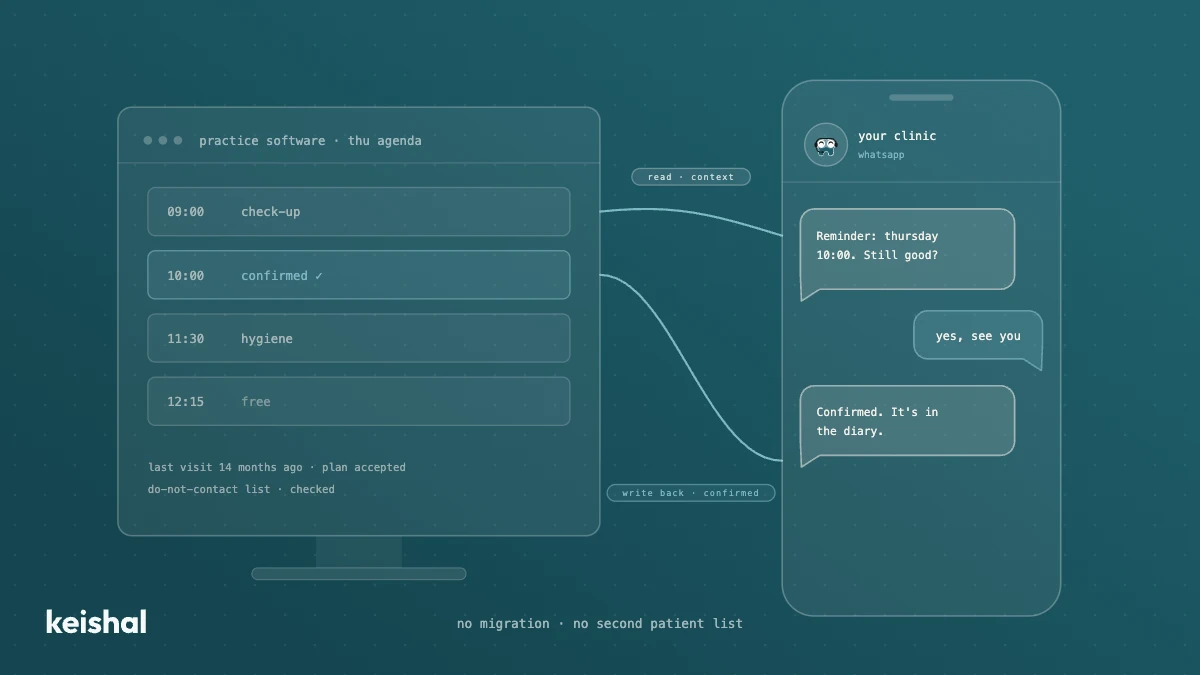
Integrating AI with your dental practice software: what a real connection means
A real integration with your dental clinic's software does two jobs: it reads your patients' data for context and writes appointments, confirmations and status changes back into your program. A monthly CSV, a calendar connector or a read-only tool leaves the rest to your team: with 330 reminders a month, marking each confirmation at 30 seconds adds up to almost 3 hours. Ask for the list of supported programs and versions in writing, and check that there's no migration and no duplicate patient base.
Switching dental software: what migrating really involves and when you don't need to
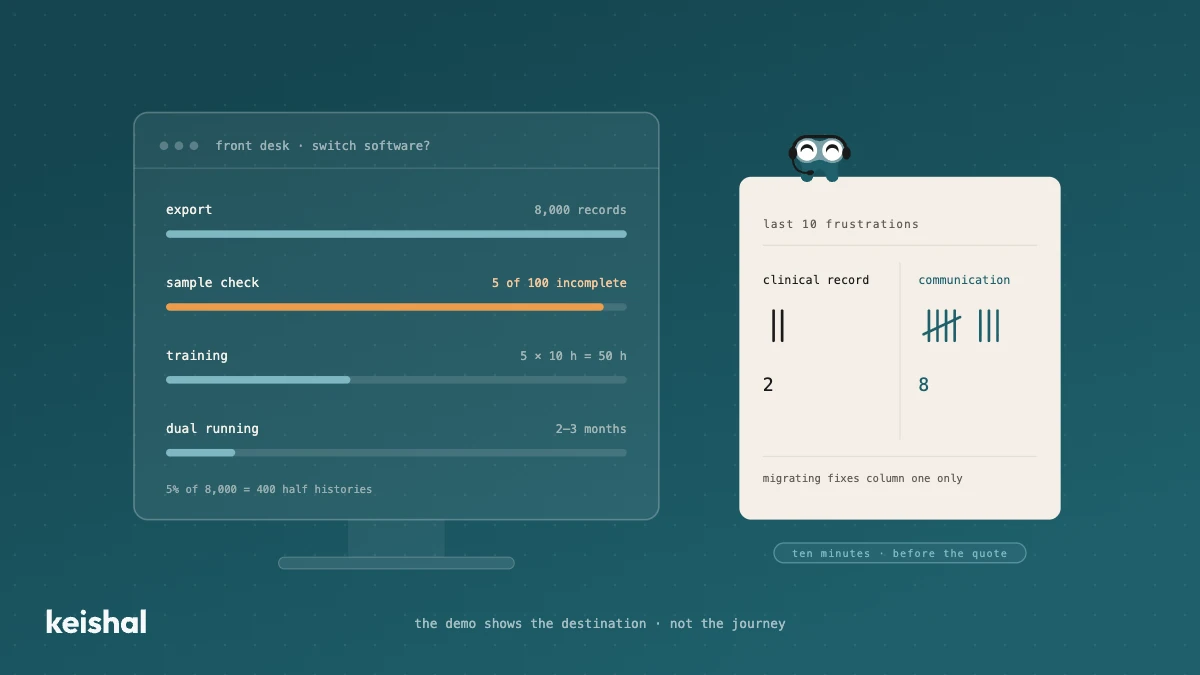
Switching dental software isn't installing a program: it's exporting and verifying thousands of records, training the team (5 people × 10 hours = 50 hours) and running two systems side by side for two or three months. It's worth it when the software has no support, holds your data hostage or the clinic has outgrown it. But if what's pushing you is unmanaged reminders, recall that never happens and out-of-hours messages, that communication layer can be added on top of your current PMS, without migrating anything.