
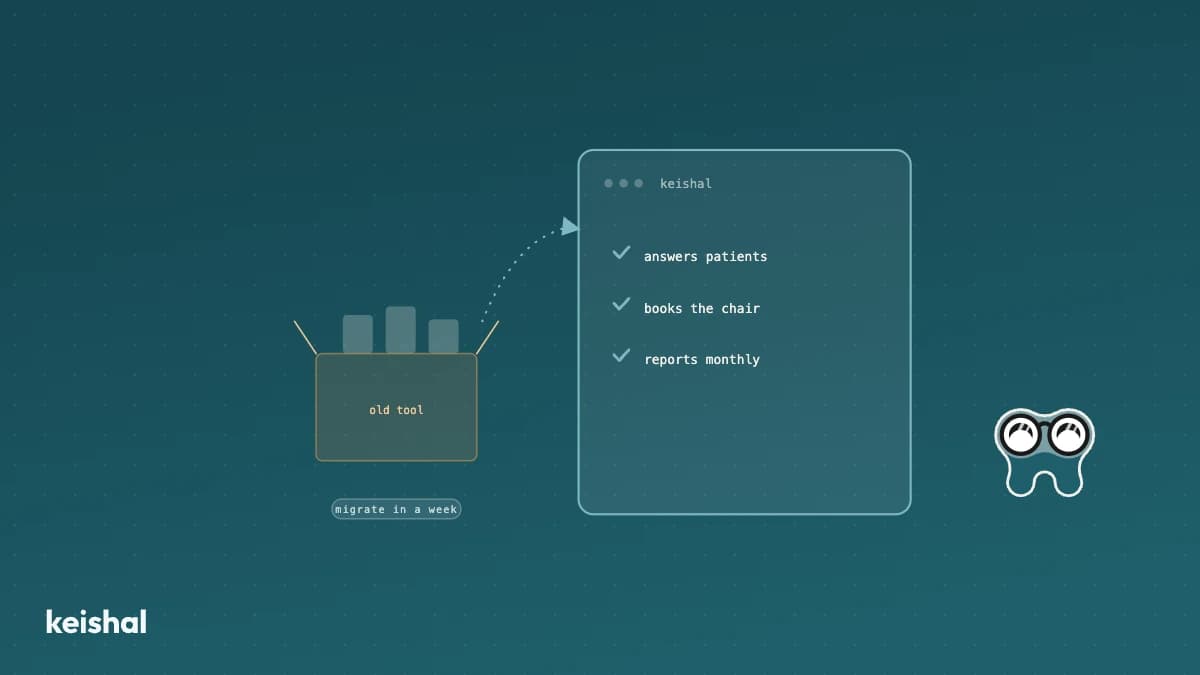
Kokuai is a real patient-communication software, and it works well for clinics with someone on the team willing to configure and operate it every week. If you're searching for a "Kokuai alternative", it's probably not because the product is bad — it's because nobody at your clinic has those spare hours. That's the question that actually matters before you sign anything: who is going to operate it, you or the provider?
What Kokuai does well
Kokuai is a patient-communication tool built for dental clinics in Spain. It covers reminders, messaging and basic automations, and as software it's capable: it integrates with several practice management systems and gives the clinic full control over every message, every template and every sending rule.
That control is a real advantage for the right kind of clinic. If you have someone on the team who enjoys configuring tools, tuning rules and reviewing dashboards, software like Kokuai gives you room to shape it exactly your way. It isn't a weak product. It's a piece of software that does what it promises — if someone sits down to operate it.
Who it fits
Kokuai fits best in clinics with real capacity to operate a new tool: someone —a manager, reception, a dentist with a management streak— with hours set aside each week to review campaigns, adjust templates and follow up on results. If that person exists on your team and enjoys this kind of work, Kokuai can be a solid option, and you probably don't need to read on.
The problem isn't the product. It's time. In clinics with 2 to 8 chairs, reception already covers the schedule, calls, patients in the waiting room and billing. Adding "learn and maintain a communication tool" isn't just one more task: it competes directly with staffing the front desk, and it almost always loses.
This isn't specific to Kokuai — it's the pattern across the whole category of clinic communication software. If you're evaluating several dental software options in general, not just patient communication, we have a neutral comparison of dental software in Spain that can help you place where each one fits.
The structural difference: who operates the software
Here's the distinction that really separates the options, and it's verifiable, not an opinion:
- Kokuai (and most of the category) is software the clinic operates. You sign up, configure the templates, schedule the campaigns and check whether they're working. The provider gives you the tool; you supply the hours. It's the same choice we lay out in software vs. autonomous system, applied here to a specific competitor rather than the category as a whole.
- Keishal is an autonomous system that Keishal operates. We set up inactive-patient reactivation, reminders and confirmations on top of your database and your WhatsApp, and your team sees the results without having to go in and adjust anything. It doesn't replace your appointment manager: it integrates with it.
Neither is better in the abstract. Software you operate gives you finer control; a system someone else operates gives you back the hours that fine control demands. The question isn't "which tool has more features?". It's "who on my team will spend time on it every week, and do I have that person?". If you want the full picture of why administrative AI is moving into dental clinics, we develop it in the guide on how to apply artificial intelligence at your clinic.
Count the hours before you sign anything
Before choosing any tool —Kokuai, another one, or a system that operates it for you— run this calculation with your own clinic:
- Initial setup hours. Onboarding, templates, integrations, team training. Add them up.
- Weekly maintenance hours. Reviewing campaigns, adjusting messages, checking the automations still run properly.
- Multiply the weekly hours by the weeks in a year. Maintenance of 3 hours/week is over 150 hours a year: nearly a full month of full-time work.
- Ask yourself who has those hours free today. Not "who could, in theory", but who has real room in their current week.
If the answer is yes, someone on your team has those hours and is interested in this kind of work, then software you operate —Kokuai or another— can fit you well. If the answer is no, that's the real answer to "what Kokuai alternative do I need": not another tool to operate, but someone to operate it for you.
Whatever the answer, it helps to know exactly what you're buying. We've made an inventory of what you can automate at a dental clinic and what not, task by task, with each one's limit.
Questions to evaluate any provider before signing
Whether it's Kokuai, Keishal or any other option, these are the questions that really separate a good decision from a contract that ends up unused:
- Who configures and maintains the tool each week, them or us?
- How many real hours does my team need per month, and who specifically will spend them?
- What happens if that person takes holiday or changes role?
- Does it integrate with the appointment manager we already use, or do I have to migrate?
- How does it protect my patients' data, and who answers if something fails?
- Can I see results with my own database before committing long-term?
There's no universal answer. There's a right answer for your clinic, depending on how much operational capacity you genuinely have today.
Your patients' data, whatever you choose
Whatever tool you evaluate, you'll be connecting it to sensitive patient data: phone numbers, contact history, sometimes clinical notes. That doesn't change with the channel or the provider. Before signing up for any software, it's worth asking which servers that data is stored on, who has access, and what happens if you change providers later.
The conclusion, for your own case
Kokuai isn't the wrong choice for everyone: it's the right choice if your team has that time and enjoys this kind of work. If it doesn't, the difference that matters isn't which tool has more features, but who sits down to operate it each week.
At Keishal we operate inactive-patient reactivation, reminders and WhatsApp communication directly on top of your database and your current appointment manager, so your team sees the results without having to configure or maintain anything. If you'd like to see how it would look with your own clinic's numbers, you can book a demo.
Ready to try Keishal in your dental clinic?
Book a demo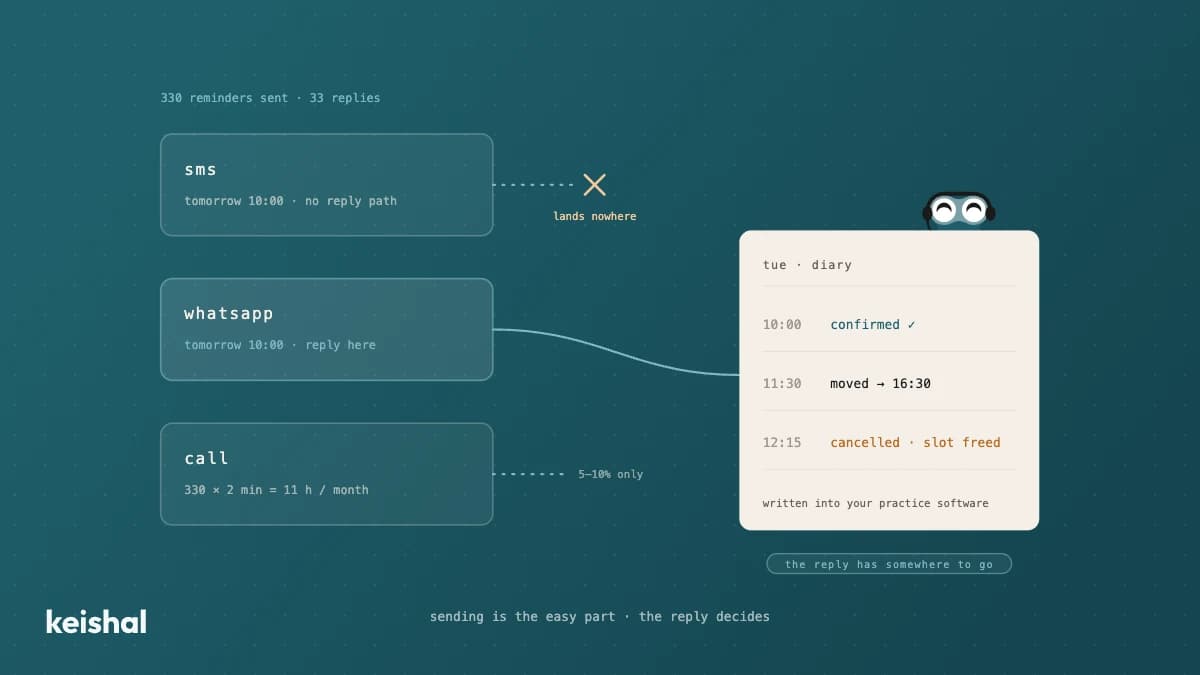
Appointment reminders for your dental clinic: SMS, WhatsApp or phone call
A diary with 15 appointments a day across 22 working days generates 330 reminders a month. If one patient in ten replies, that's 33 conversations someone has to handle: confirmations, reschedules, cancellations that open a slot. That's why the channel matters less than the reply: SMS notifies but rarely listens, WhatsApp resolves things in the same thread, and the phone call is for the cases that need it. In 2026, the real purchase decision isn't "which channel do I buy?" but "who handles what patients reply?".
Virtual phone system for dental clinics: what it solves and what keeps ringing
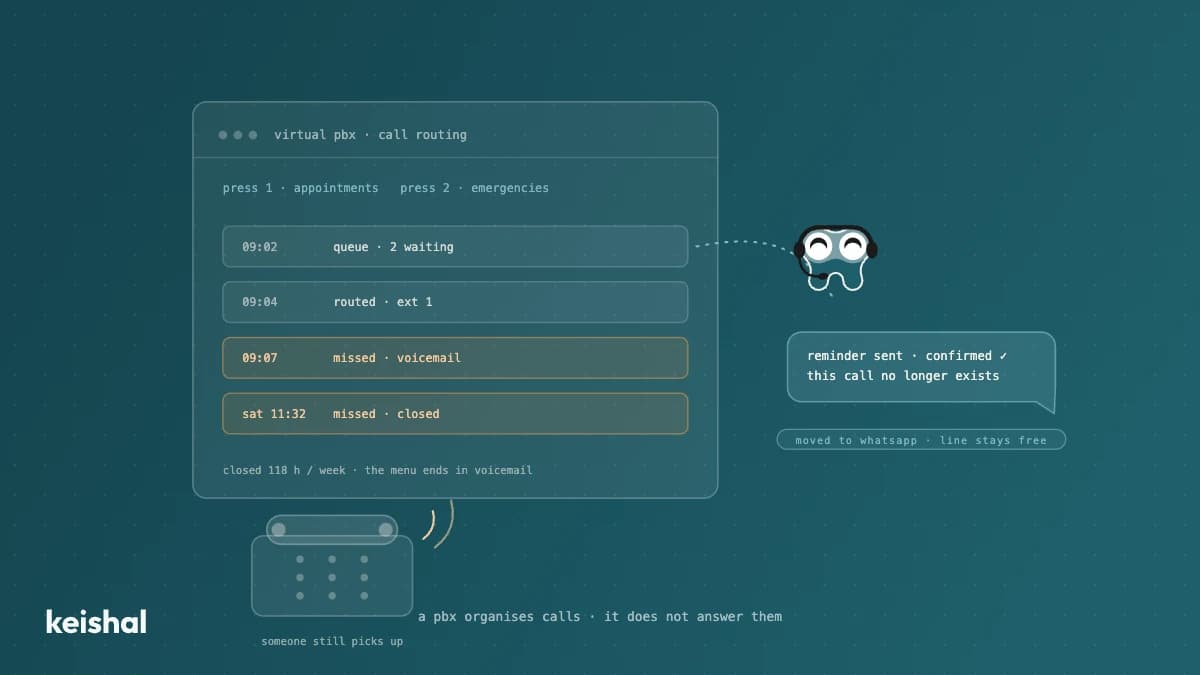
A virtual phone system organises your dental clinic's calls: voice menus, hold queues, forwarding and missed-call logs. What it doesn't do is answer them: someone still picks up, and with 50 opening hours the clinic is closed for 118 of the week's 168 hours (70 %). It makes sense with several locations or lines, or when calls are lost to saturation. If the problem is volume — 40 calls × 3 minutes = 2 hours a day — the higher-leverage move is migrating repetitive tasks (reminders, bookings, questions) to WhatsApp and keeping the phone for the conversations that need it.