
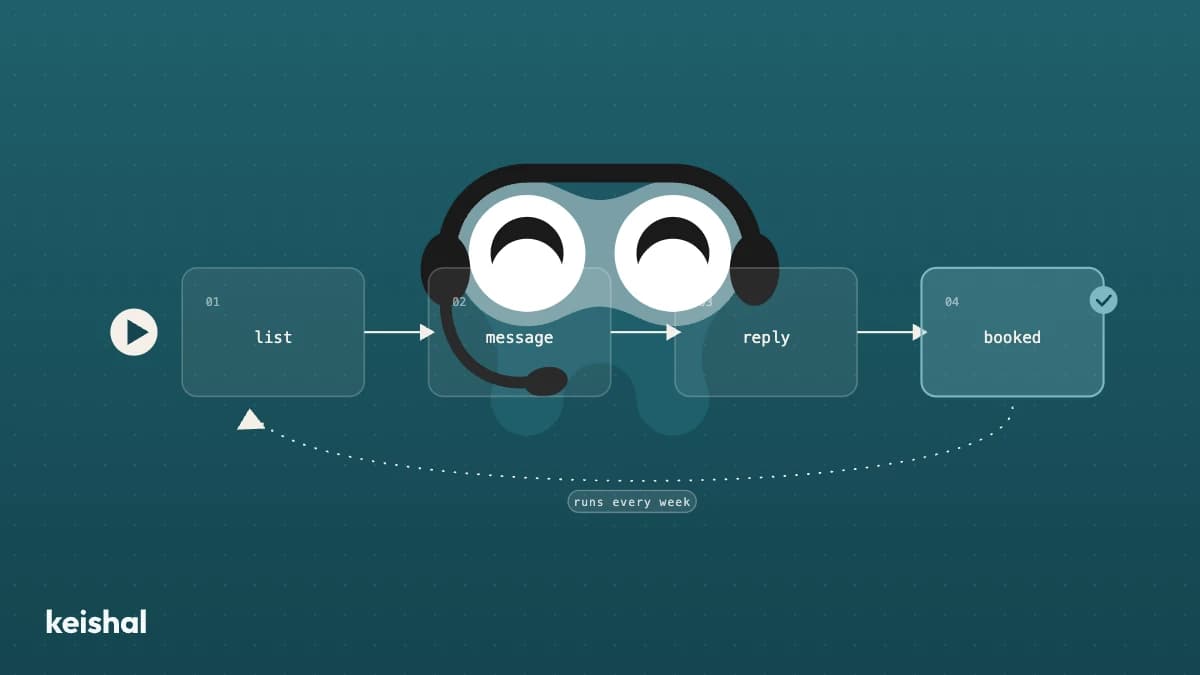
There's no single right recall system. There are three paths (manual, software, and an autonomous system) and which one fits depends on how many patients you have due for recall each month and how many real hours your team has to spend on it. Count your patients due this month and multiply by 5 minutes of handling each: that number, not any vendor's pitch, is your real starting point.
You already know what recall is. Here's how to set it up
If you already know what dental recall is and why it matters, you can skip the definition: it's covered in detail in what dental recall is and how to automate it. This piece goes a step further: not whether to do recall, but how to set it up so it doesn't depend on someone remembering, on a Tuesday already full of patients.
It's the line we hear most in early conversations: "We know we should be doing recall. The problem is nobody has the time." That's rarely a discipline problem on the team's part, it's almost always a capacity problem, and getting the recall system right the first time saves months of trying a tool, abandoning it, and starting over.
The three paths to a recall system
There are three ways to run recall. None of them is inherently bad: each fits a different kind of clinic, and the common mistake is copying whatever the clinic down the street uses instead of picking what fits yours.
Manual recall
Someone on the team reviews patient history, decides who's due for a call or a message, and works through the list one by one: a call, a WhatsApp message, or a letter. No tool cost, no learning curve, nothing to configure.
The quality of the work when it happens usually isn't the problem: what breaks it is that it competes for time with everything else happening at the front desk that morning. Count the patients due for review this month and multiply by 5 minutes per contact (pulling up the history, writing or calling, logging the result in the PMS). 200 patients due is 1,000 minutes: just over 16 hours in a month that already has a full schedule, incoming calls, and patients at the door. It fits clinics with few patients due each month and someone with real spare capacity that day, measured in available hours, not in how motivated that person is.
Recall software
A tool that automates part of the process (lists of patients due, message templates, reminders) but that your team still has to configure, review, and operate. It cuts down the manual work, it doesn't remove it: someone still decides who to contact this week, reviews who responded and who's still pending, and adjusts the tool when something doesn't fit.
It fits a team with spare capacity and someone who actually enjoys running tools: setting them up, checking the results, tweaking them when needed. If that person exists on your team and has real time to give it, recall software can be exactly what you need. The risk shows up when that person changes roles, takes leave, or simply stops having the time: the tool is still there, but it stops being operated, and an unoperated tool doesn't do recall. If you want to see what's out there, we have a comparison of dental software in Spain.
Autonomous system
An autonomous system decides who's due for contact based on patient history, sends the message over WhatsApp, handles the conversation (questions, rescheduling, confirmations), and writes the result back into your PMS, without anyone on the team having to remember it or operate it week after week.
The difference from software isn't the technology underneath: it's who operates it. With software, your team operates it; with an autonomous system, the system operates itself, and your team just sees the results. It fits clinics where nobody has real room for one more recurring task each week: counting actual hours, that describes most 2-to-8-chair clinics.
The questions that actually decide it
Before choosing, answer these with numbers from your own clinic, not a vendor's spec sheet.
1. How many hours would your team need each month to do this by hand? Patients due for review this month × 5 minutes of handling each. If that number exceeds the real free hours of anyone on the team, manual recall stops being sustainable month after month. That's arithmetic, not a judgment on how well your team works.
2. What happens the day that person is out? Holidays, sick leave, a month with more patients in the chair than usual. Recall that depends on one person remembering works fine right up until something changes, and sooner or later, something always does.
3. Do you want a tool your team has to learn and operate, or a system that runs without anyone having to manage it? This is the question that actually separates software from an autonomous system. Neither answer is wrong on its own: it depends on whether someone on your team has real time and the will to operate one more tool, every week, for months.
4. Does it integrate with your current PMS without migrating anything? Gesden, Nubimed, Dentalink, Clinic Cloud, Flowww, Klinikare: any recall system that requires switching PMS or keeping a duplicate calendar adds a cost that has nothing to do with recall itself, and one many clinics never end up absorbing.
5. What happens if a patient replies at nine on a Saturday night? Recall doesn't only live inside clinic hours. If the reply depends on someone from the team being in front of their phone outside working hours, that patient waits until Monday, and sometimes, by then, they've already called another clinic.
6. How will you know if it's working? A recall system nobody measures is an act of faith. You need to be able to see, every month, how many patients were due, how many were contacted, and how many came back, without rebuilding it by hand from the PMS.
Signs your current recall isn't holding up
In 2026, most clinics still running recall by hand didn't choose to: they simply never stopped to check whether the setup still fit the current size of their patient base. Some signs are easy to miss because nothing breaks all at once: recall just quietly stops happening, without anyone deciding that on purpose:
- The list of patients due for review grows every month instead of staying stable.
- Recall happens "whenever there's a spare moment", not at a fixed time, and those moments keep getting rarer.
- Nobody on the team could say, right now, how many patients are currently due for contact.
- The person who runs it has gone on holiday at some point, and recall simply stopped that month.
- Patients who come back do so because they remembered on their own, not because the clinic reached out.
If two or more of these sound like your clinic, it's rarely about discipline: the current setup is asking for more capacity than the team actually has.
When each option makes sense
There's no universal answer, but there is an honest logic you can apply with your own numbers:
- Manual recall makes sense with a small patient base and someone with real spare time each week. If your clinic has few patients due and the number from question 1 is low, don't complicate what already works by adding a tool nobody needs.
- Recall software makes sense if there's someone on the team with real time and the will to operate a tool: configuring it well and reviewing it every week is exactly what makes it work. Without that person, the software stays half-configured.
- An autonomous system makes sense once the number of patients due outgrows what the team can sustain without the rest of the day suffering for it, which, counting real hours, is the most common case for mid-sized clinics with a front desk already stretched thin.
At Keishal we operate recall as an autonomous system, inside a wider system that also covers booking, reviews, and day-to-day communication. You can read more in how to apply artificial intelligence at your dental clinic. For recall specifically: it decides who's due for contact, messages them over WhatsApp, handles the conversation, and updates your PMS, without your team having to review or operate it week after week. On patient data: any system that talks to your patients handles sensitive information, regardless of the channel, and it's worth checking how it does that before choosing it: that's a sign of seriousness, not an obstacle.
How to take the next step from where you are
You don't need to migrate anything or stop what already works to start deciding. The realistic first step is to count: how many patients are due for recall this month, and how many real hours your team has to give it without the rest of the schedule suffering. That number, not a demo or a spec sheet, is what decides which path fits your clinic.
You don't need to decide everything at once, either. Many clinics start with the most urgent slice (patients who haven't been in for 12 months or more, the ones most likely to be lost for good) and leave the rest of recall as it is while they check whether the change works with their own patient base, before rolling it out further.
If you want to see it with your own clinic's numbers, you can book a demo.

Ready to try Keishal in your dental clinic?
Book a demo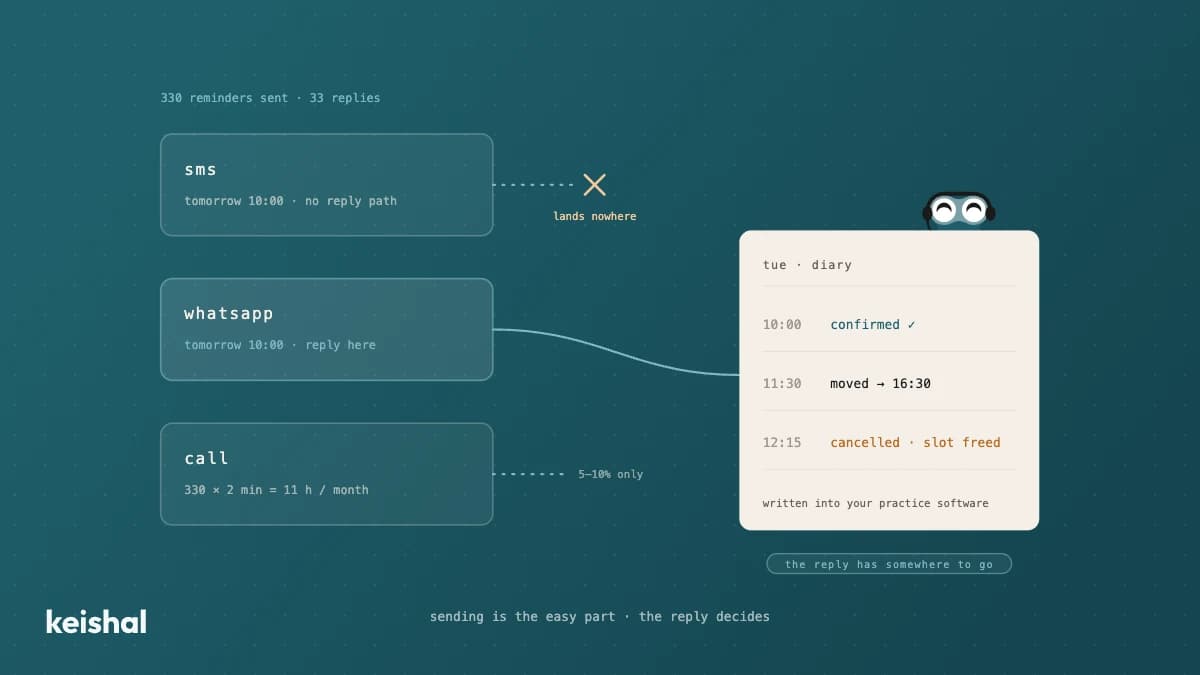
Appointment reminders for your dental clinic: SMS, WhatsApp or phone call
A diary with 15 appointments a day across 22 working days generates 330 reminders a month. If one patient in ten replies, that's 33 conversations someone has to handle: confirmations, reschedules, cancellations that open a slot. That's why the channel matters less than the reply: SMS notifies but rarely listens, WhatsApp resolves things in the same thread, and the phone call is for the cases that need it. In 2026, the real purchase decision isn't "which channel do I buy?" but "who handles what patients reply?".
Virtual phone system for dental clinics: what it solves and what keeps ringing
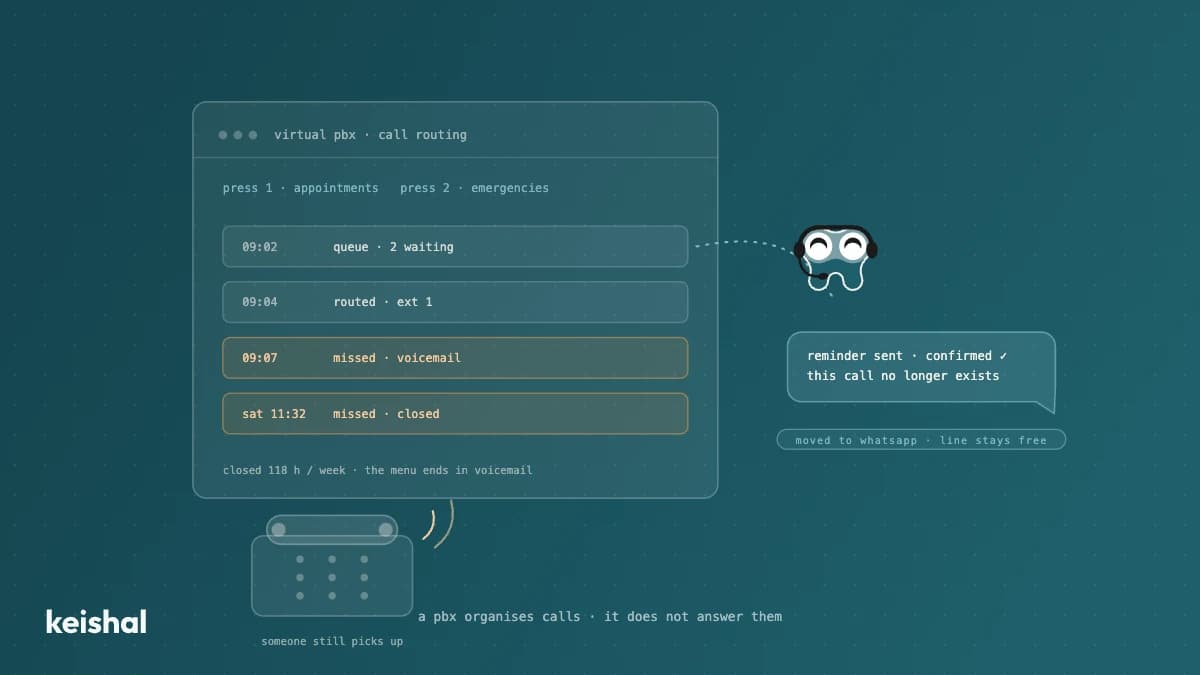
A virtual phone system organises your dental clinic's calls: voice menus, hold queues, forwarding and missed-call logs. What it doesn't do is answer them: someone still picks up, and with 50 opening hours the clinic is closed for 118 of the week's 168 hours (70 %). It makes sense with several locations or lines, or when calls are lost to saturation. If the problem is volume — 40 calls × 3 minutes = 2 hours a day — the higher-leverage move is migrating repetitive tasks (reminders, bookings, questions) to WhatsApp and keeping the phone for the conversations that need it.